


Accessibility support for Color Blindness

Apr 14, 2026
202

Tot for Mac and Tot Pocket for iOS fully support users with color blindness and can be set to differentiate Tot's seven dots without the use of color.
For iOS
Launch iOS Settings > Accessibility > Per App Settings > Add Tot > Differentiate without Color
For macOS
Launch macOS System Settings > Accessibility > Display > Differentiate without color
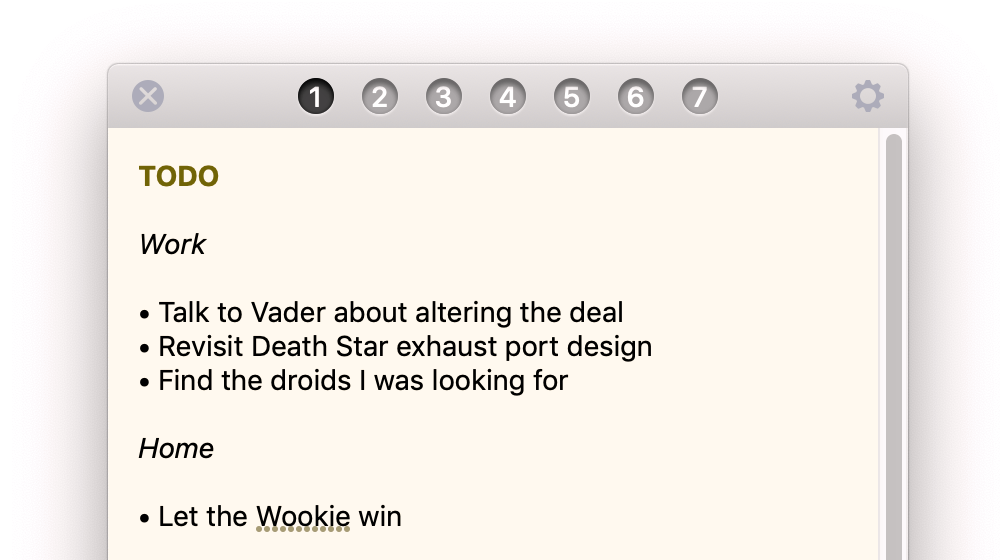
Tot will display a number within each of the dots to help you identify content on that dot. When empty, the dot does not display a number.
This feature was added in version 1.0.5 (May 2020).
The story behind how this feature came to be can be found in this blog post.

